
What is Multi-Sigma-Architect?
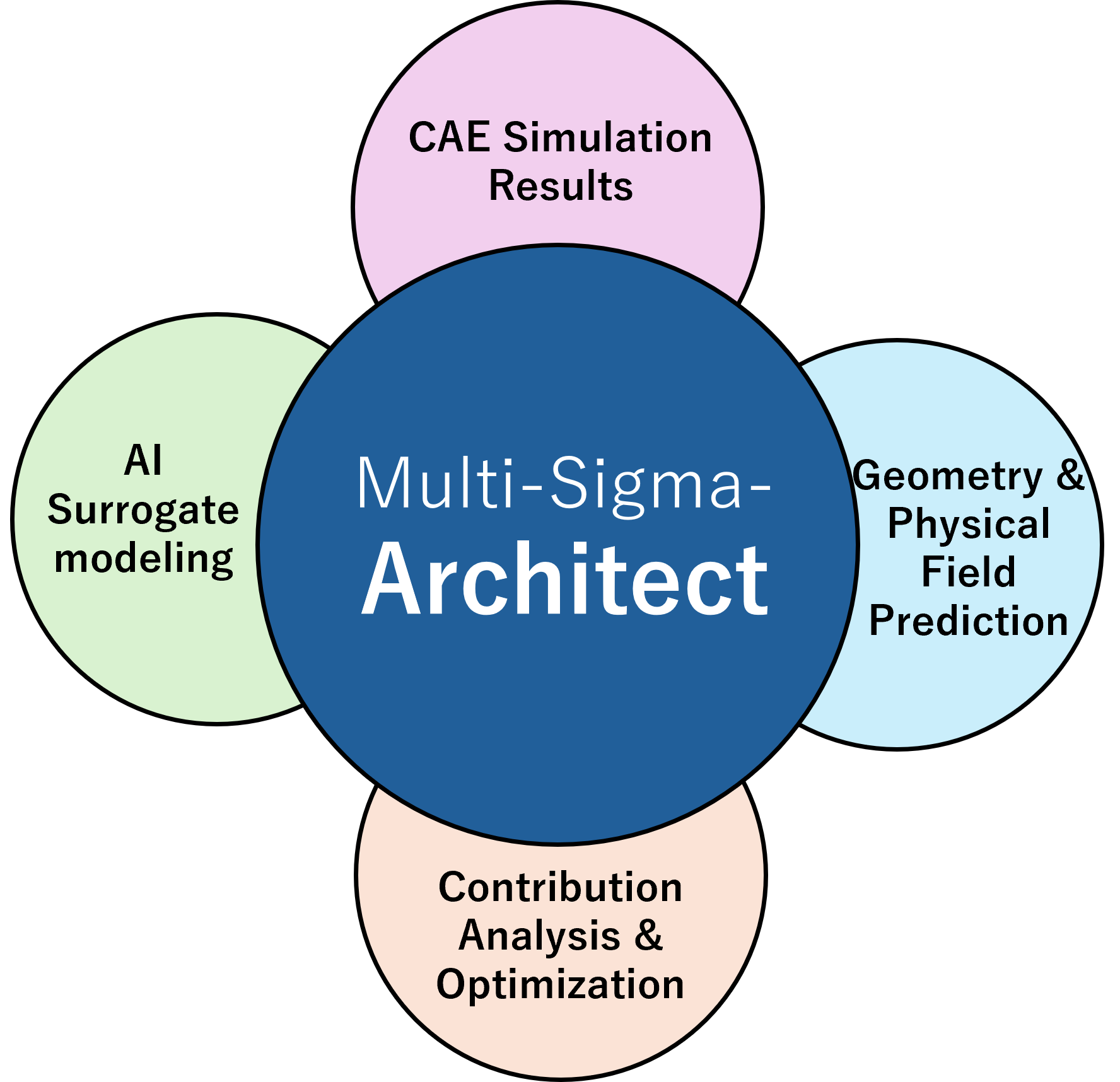
Multi-Sigma-Architect is an add-on package that automatically builds surrogate models from CAE simulation results. In one environment, it supports design and development decisions through geometry and physical-field prediction, contribution analysis, and multi-objective optimization.
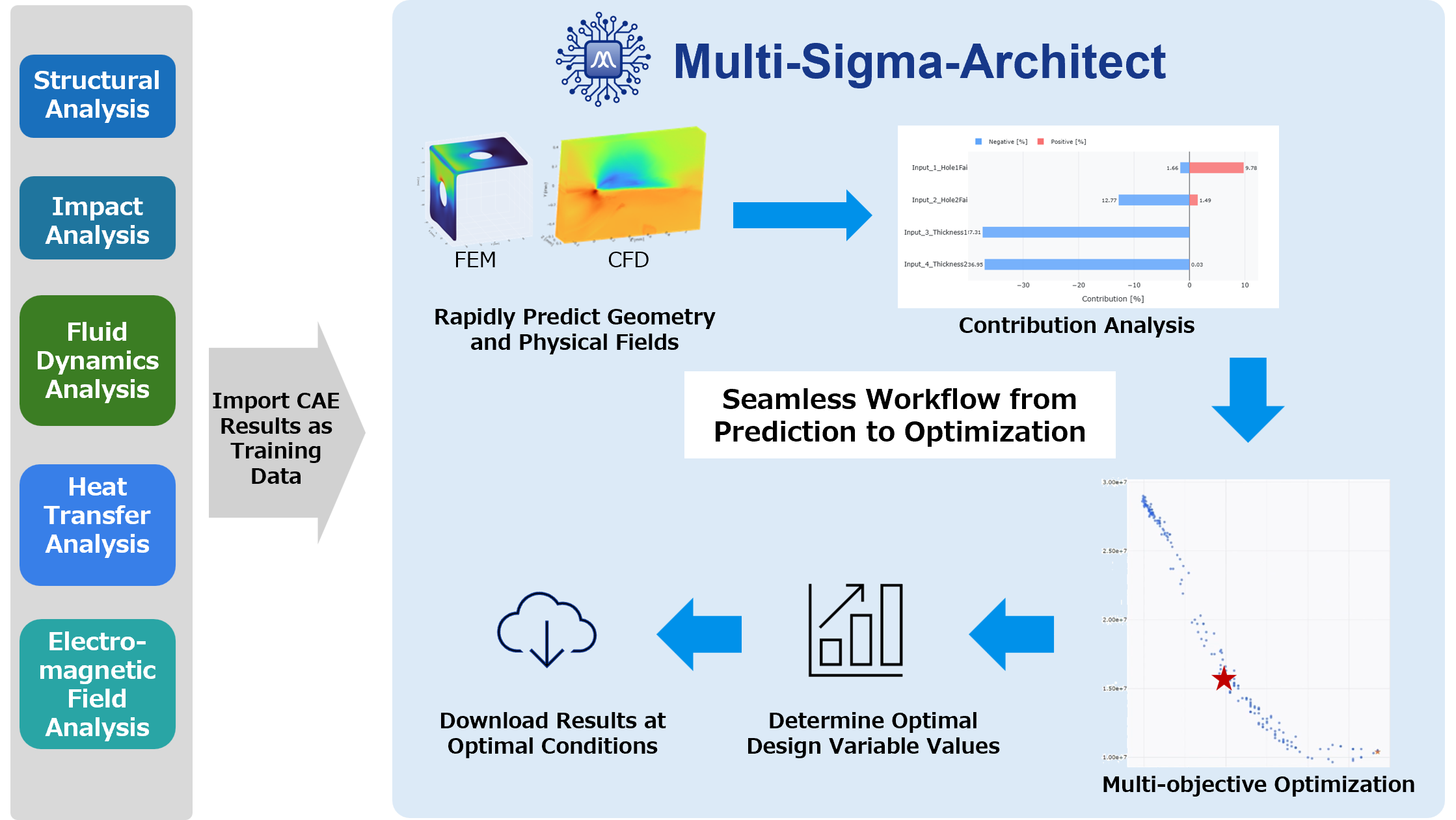
Using results from structural, fluid dynamics, heat transfer, impact, electromagnetic field, and other analyses as training data, it rapidly predicts geometry changes and physical fields such as stress, flow velocity, temperature, and pressure under new design conditions. Its proprietary automated tuning technology lets you build models without coding or specialist AI knowledge.
“We have CAE results, but we are not making the most of them in design exploration.”
Multi-Sigma-Architect helps you put CAE results to work with AI in research and development.
Key Benefits
Build Surrogate Models
from Limited CAE Data
Proprietary automated tuning helps you build surrogate models with good overall predictive performance, even from relatively limited CAE data.
Predict Geometry and
Physical Fields Together
Rapidly predict how design variables change the geometry and physical fields on that geometry, including stress, flow velocity, temperature, and pressure.
Move from Prediction to
Contribution Analysis and Optimization
Identify which variables affect performance and explore candidate designs that meet multiple objectives at once.
Work Without Code
and Export Results
Build models and run analyses through a graphical interface. Export geometry and physical-field data for optimization cases in VTK format.
Features
1. Build Surrogate Models from CAE Results
Multi-Sigma-Architect learns how design variables relate to CAE results and builds a neural network model to predict geometry and physical fields under new conditions. Its proprietary technology automatically tunes the model settings.

2. Rapidly Predict Geometry and Physical Fields
Enter new design conditions to rapidly predict the resulting geometry and physical fields, including stress, deformation, flow velocity, temperature, and pressure. Get results for unexplored conditions without running time-consuming CAE calculations each time.

3. Contribution Analysis
Quantify each design variable’s positive or negative contribution to performance. Identify the variables that drive improvement and prioritize design changes accordingly.

4. Multi-Objective Optimization
Explore candidate designs that balance competing objectives, such as maximizing strength while minimizing weight or maximizing lift while minimizing drag.

5. Visualize and Download Results
Visualize the geometry and physical fields of candidate designs. Download the data in VTK format to inspect stress fields, flow fields, and more using your own visualization software.

Application Examples
Example 1
Structural Analysis (FEM)
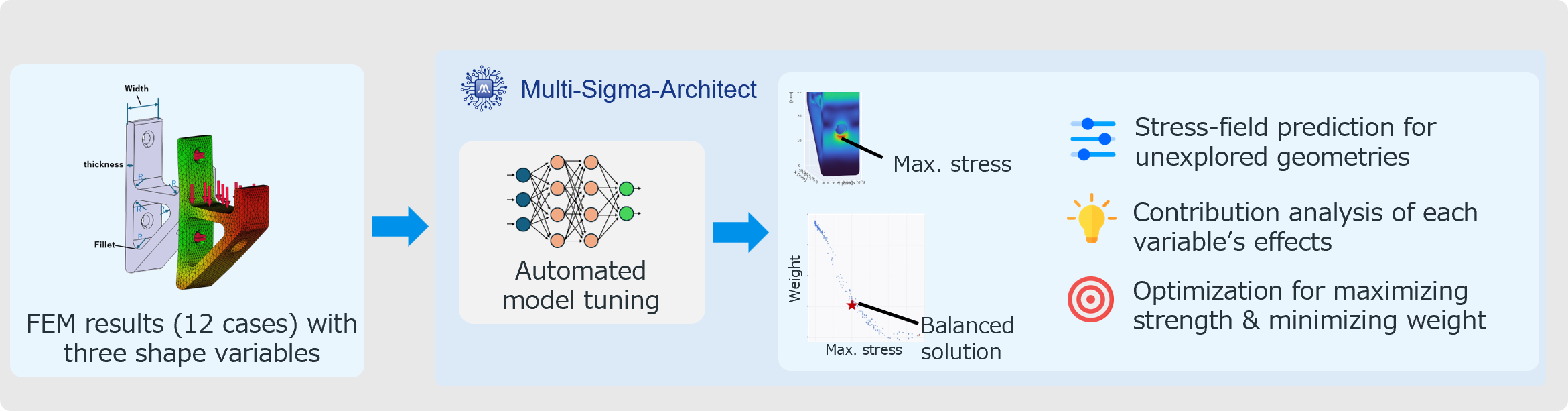
A model is built from 12 analysis cases with three varying geometry variables.
Predict stress fields for new geometries and explore candidate designs that maximize strength while minimizing weight.
Example 2
Fluid Dynamics (CFD)
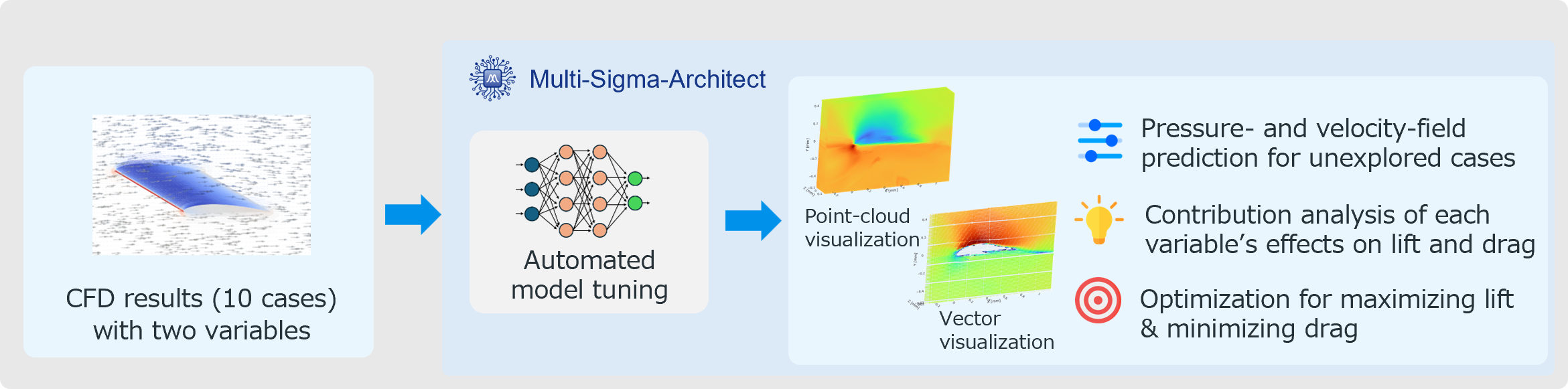
A model is built from 10 analysis cases with two varying variables: angle of attack and airfoil shape.
Explore candidate designs that maximize lift while minimizing drag.